Why build from Figma to Astro
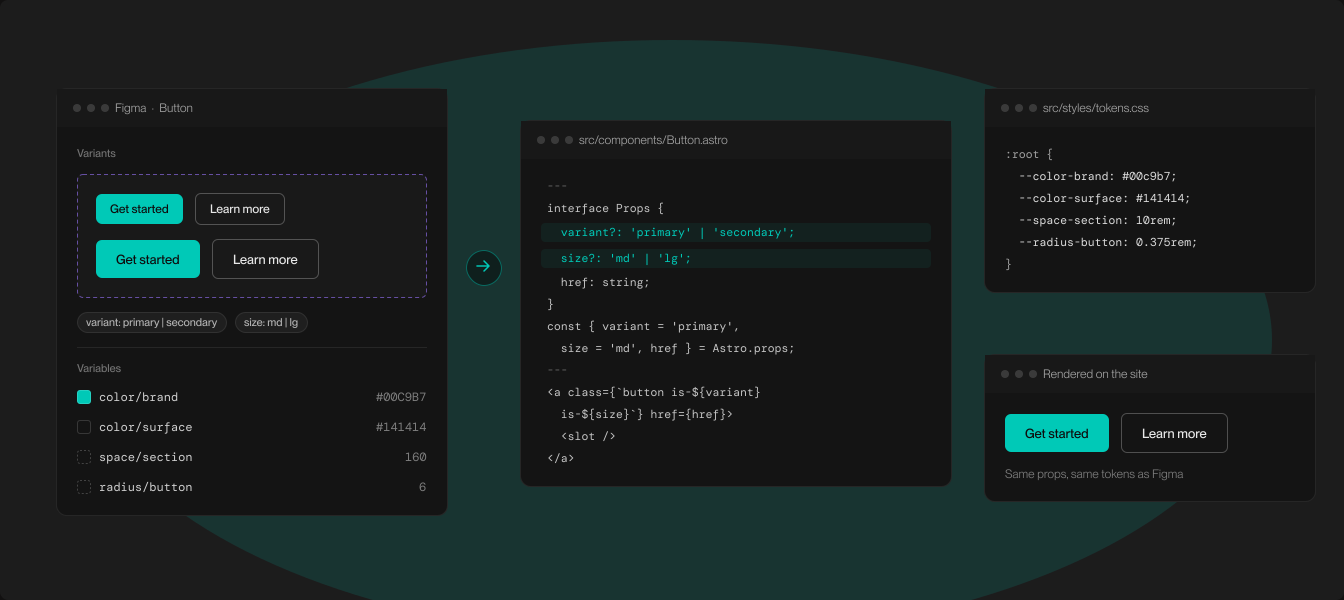
A well-organised Figma file already describes a component system. Building it straight into Astro keeps that structure intact, so the design system in Figma and the code stay in step.
Page builders and themes force designs into their own structures, which means compromises, extra code and a site that drifts from the original design over time.
I’ll turn your Figma components, variables and styles into Astro components and design tokens, then build every page template from them.
What comes across from Figma
Your design system and pages built in Astro, accurately and to a high standard.
Components to components
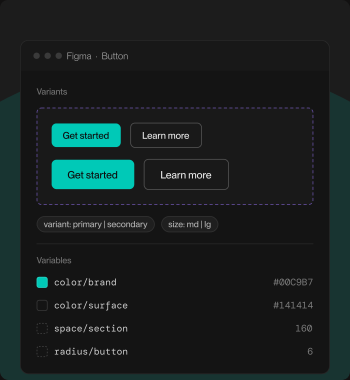
Figma components and variants rebuilt as Astro components with matching props, ready to reuse across pages.
Variables to design tokens
Colour, type and spacing variables turned into CSS custom properties, so design changes flow through the whole site.
Responsive and accessible
Every breakpoint built and tested, with semantic HTML, keyboard support and accessible colour contrast.
Content ready for a CMS
Pages and repeatable content connected to a headless CMS, so your team can publish as soon as the site is live.
How it works
Review your Figma file
I’ll go through your components, variables and page designs, and flag anything that needs a decision before the build.
Build in Astro
I’ll set up design tokens, build the component library and assemble every page template from it.
Connect, test and launch
I’ll connect the CMS, test across browsers and breakpoints, and launch on hosting you own.
Is this the right fit?
This is for teams with a finished design in Figma who want it built accurately in code they own, with the performance Astro is known for.
- Get an accurate build of your design.
- Keep Figma and code in step.
- Own a clean, documented component library.
- Edit content through a headless CMS.
- Launch on fast, low-cost hosting.
If your Figma file is still at the wireframe stage, I can finish the design first or build from a well-defined design system.
FAQs
How do you turn a Figma design into an Astro website?
I start by reviewing the Figma file’s components, variables and page designs. Variables become CSS design tokens, Figma components become Astro components with matching props, and each page template is assembled from those components. The finished site is connected to a headless CMS and tested at every breakpoint before launch.
Why build from Figma to Astro instead of using a page builder?
Building straight into code keeps your design intact. There’s no theme or builder structure to work around, so the site matches the Figma file closely, ships less code and loads faster. You also own the component library, so it can grow alongside your design system.
Does my Figma file need to be organised a certain way?
It helps if components, variants and variables are set up, but it isn’t essential. If the file is loose, I’ll identify repeating patterns during the review, turn them into components and flag any missing states, breakpoints or styles before the build starts.
Can you match my Figma design exactly in Astro?
Yes, the aim is an accurate build at the breakpoints you’ve designed. Where the design doesn’t cover a screen size or state, such as tablet layouts or hover and focus states, I’ll propose a solution that fits the design system and agree it with you.
Can my team edit the site after it’s built in Astro?
Yes. Content is managed in a headless CMS such as Sanity, Storyblok or Keystatic, so your team can edit text, images and blog posts without code. New layouts or components are added in code, using the same component library.
Is a Figma to Astro build good for SEO?
Yes. Astro outputs fast, static HTML, and I build semantic markup, metadata, sitemaps and structured data into every template. Fast load times and clean HTML help both search engines and AI crawlers understand each page.
Should I build my Figma design in Astro or Webflow?
Choose Webflow if your marketing team wants to build and change page layouts visually. Choose Astro if you want full ownership of the code, custom functionality or maximum performance, and you have developer support for layout changes. I build in both and will recommend the right fit.
How long does a Figma to Astro build take?
It depends on the number of page templates and components, how complete the Figma file is and how many content types the CMS needs. A focused marketing site is quicker than a large one with many templates. You’ll get a timeline with your fixed-price quote.
“We launched a new specialist, boutique tax advisory business in March 2025 and Matt created our website. Matt’s service and end product was exceptional, meeting with our design and timing requirements and being highly responsive during the process. Would highly recommend.”
James PilbeamLumentis Partners


